Deepin is a very popular Linux distributor system in China market. It is very beautiful and easy to use. More and more software have been migrated to this system in China. As we know it is based on Debian system, we think it should be no problem to run miniSIPServer on it directly.
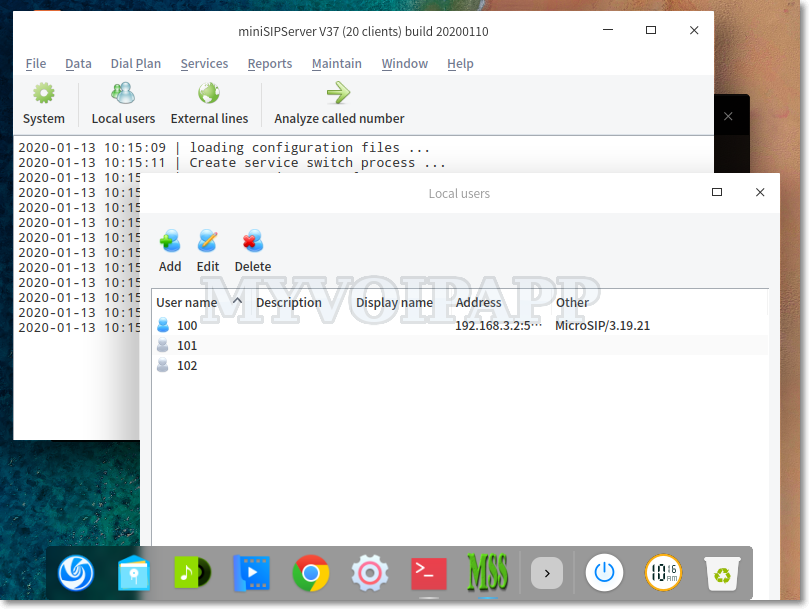
And it is true! Follow the online document, we can install and run miniSIPServer as same as what we do in Debian system.
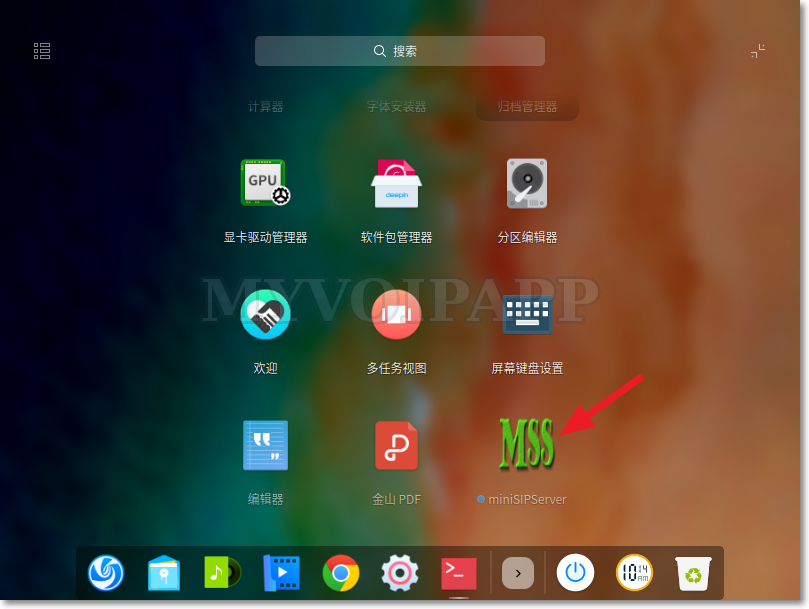
miniSIPServer in Deepin market
Yes, this system is very beautiful. After install miniSIPServer, you can find it in its software market.
In the end of next month (2020-01-31), we will clear some zombie virtual servers from our cloud system.
If the virtual server has following features, we will define it to be a zombie node and will be cleared in this action.
(1) The virtual server has not be signed in or activated since 2 years ago. If you didn’t sign into your account or virtual server after 2017-01-01, please sign into your account at less one time to avoid that.
(2) And there isn’t any SIP clients register to the virtual server, or there isn’t any SIP calls after 2017-01-01.
Zombie virtual servers waste our resources and are not affair to other customers, so please pay attention to this action and thanks for understanding.
2020-02-13 updated: This task is finished now. In future, we will keep clearing zombie virtual servers without notification. If your virtual server is not signed in or activated in recent 1 year, please pay attention to this.
In miniSIPServer, we can use IVR-XML script to enable our own services, such as automatic-attendant. With previous IVR-XML set, ‘callto’ action will invoke a call to destination and finish the whole IVR process.
But if we want to monitor some events in the call flow, such as we want to check ‘busy’ event and change the IVR flow to a new action, what should we do?
Now V37 is released and a key feature is updated in IVR-XML. We can use ‘monitor-events’ in ‘callto’ action to monitor some events and change the call flow if they are caused.
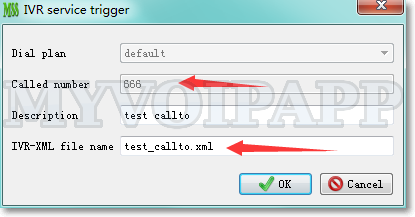
For example, the ‘callto’ action can be configured as below.
Above zip file is an example of new ‘callto’ action. You can save and unzip it into ‘xml’ sub-directory where miniSIPServer is installed and configure a new record to test it.
We upgraded cloud miniSIPServer system for some key features. The most important feature is “SIP over TLS”.
By default, cloud system opens TCP port 6060 to accept “SIP over TLS” messages. It is used to encrypt SIP messages. This feature is available for all virtual servers without any additional fee or configurations.
Now, SIP phones can connect to cloud miniSIPServer nodes with “SIP over TLS”, but “external line” and “SIP trunk” still can only use “SIP over UDP” to work with voip providers.
This feature can only encrypt SIP messages. If you want to encrypt media streams, such as audio stream and video stream, you need enable SRTP in your SIP phones. By default, media streams are bypass and processed by SIP phones themselves, cloud miniSIPServer will not process these media streams.
Please visit online document “SIP over TLS” for more details.
Debian 10 (Buster) is released. It is a stable and important version and can be deployed in business environment, so we must pay enough attention to this version.
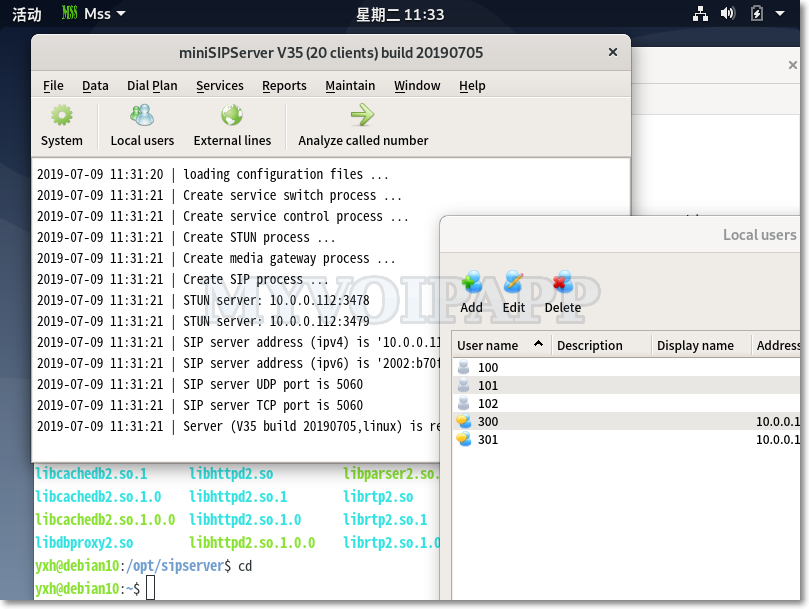
We make some test with miniSIPServer on Debian 10. Now we are proud to announce that it is perfect to run miniSIPServer on the latest Debian system. Please refer to following figure.
miniSIPServer on Debian 10
You can update Debian source list, then download and install miniSIPServer. No more action!
Our data center has detected an issue affecting the physical host on which our cloud system resides.
During this emergency maintenance:
Your virtual server may not be accessible.
No action is required from your end at this time.
We don’t have an ETA on when your virtual server will be brought back to its original state.
Once data center administrators have completed the investigation, we will update this blog with how we plan to proceed from here.
Your patience and understanding is greatly appreciated.
[Tue Apr 9 05:05:15 UTC 2019] updated: Everything is OK now and the service was broken for one hour this time. We will keep watching. If your SIP phones are out of services, please reboot them to take a try. If you still have problem, please update us. Thanks.
Some customers report a crash problem to us. All of them deploy “SIP over TLS” in their VoIP networks. We have upgraded miniSIPServer to latest V35 (build 20190313) with following key modifications.
(1) In the latest miniSIPServer, SSL library has been upgraded to the latest version.
(2) Only TLSv1.2 method is kept, that means SSLv2, SSLv3, TLSv1 and TLSv1.1 are cut. When we did research on customers’ problems, we found some bad guys were trying to use the bug of SSLv3 to hack into MSS. We have to move all these methods out to defend that. In future, we will add other methods, such as TLSv1.3. At this time, we need confirm SIP phones can support TLSv1.2 too if we want to deploy SIP over TLS.
In another way, we refine “SIP over TLS” document to provide a simple demo on how to create certificate files.
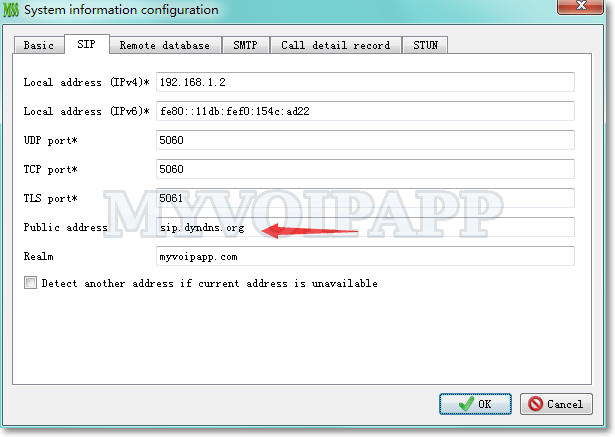
With the latest miniSIPServer version, it can be configured with several addresses, such as “local address” and “public address”. Please refer to following figure.
local address and public address
In normal, if miniSIPServer is deployed in public network with public address, it is unnecessary to configure independent “Public address” in above SIP configuration since the local address is public address itself. But in some network environment, for example, miniSIPServer is in a NAT and need serve outside users, we need configure “public address”. Outside users can use this “public address” to work with miniSIPServer.
If the network bridges several sub-networks, such as private network and public network, several different private networks, and so on, some SIP phones MUST use miniSIPServer private address, others use miniSIPServer public address, here we suggest to enable “relay media” in local users’ configuration which will make miniSIPServer to relay audio streams between these networks.
Our data center have scheduled maintenance windows during which the basic infrastructure will be updated.
During the maintenance window, all our Cloud-MSS nodes will be powered down and that means all virtual servers will stop working. While a two-hour window is allocated for the maintenance, the actual downtime should be much less.
The scheduled maintenance window is set for: Tuesday, January 8, 8:30 AM UTC