Caller prepaid
(This service has been removed from V70 and abover versions.)
(This service has been removed from V70 and abover versions.)
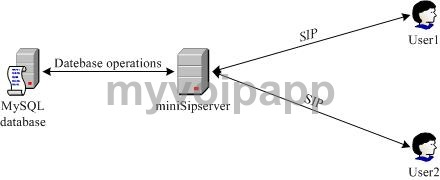
In some deployments, it is required the caller should be controlled with balance. When caller makes out-going call, the service should check whether he/she has enough balance to make this call. After the call is established, the server should be able to monitor the balance and fee in real-time and the server should release the call if the user hasn't enough balance to continue the call.
When the user is receiving incoming call, it is unnecessary to calculate his/her fee.
In MSS system, we name this service as "caller prepaid". From the network topology, we can see
In another way, "caller prepaid" subscriber of MSS can make calls to "*900" by default to query their balance at any time.
There are three kinds of configurations we shall prepare for "caller prepaid" service.
In current phase, MSS can only connect to MySQL database.
Please click menu "Data / System / Remote database" and configure the parameters according to your MySQL configurations.
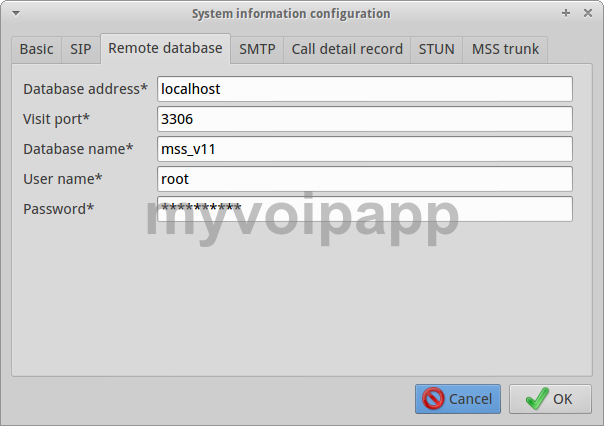
| Item | Value | Description |
|---|---|---|
|
Database address |
domain name or IP address |
Remote MySQL address. Note, MSS and MySQL can be installed in the same computer. In this case, the "database address" should be "localhost". |
|
Visit port |
Integer |
Remote MySQL visit port. If you updated port in MySQL configuration, you need update this configuration in MSS too. The default value is 3306. Please refer to MySQL manual document. |
|
User name |
String |
The user name which is created in MySQL database. The user should have the right to create database, create tables, etc. |
|
Password |
String |
Password of the visit user. It depends on MySQL configuration. |
By default, local users are not "caller prepaid' subscribers. If one local user is going to be "caller prepaid", it should be indicated clearly.
Please click menu (or item) "Data / Local users / Advance services" and select/add a user as following.
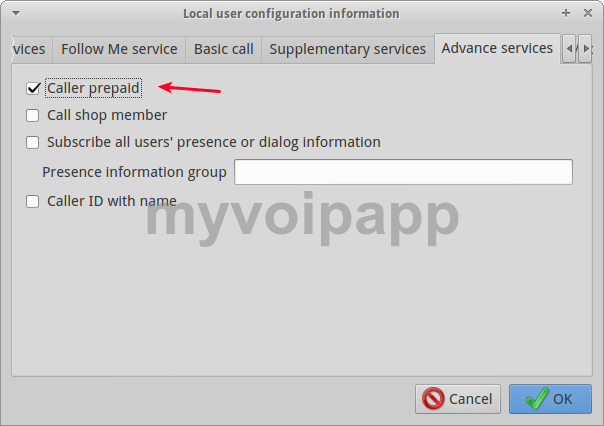
It is ok to just enable "caller prepaid" option.
It includes following parts: (1) How to set fee rate? (2) How to set balance for prepaid users. (3) How to calculate fee?
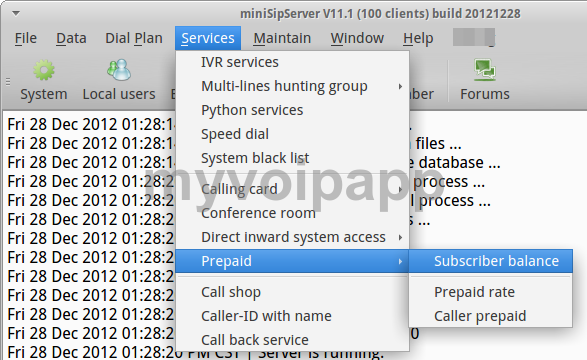
Please click menu "Services / Prepaid / Prepaid rate" and prepare to add a new prepaid rate.
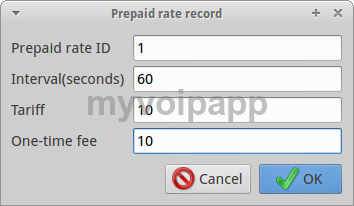
| Item | Value | Description |
|---|---|---|
|
ID |
Integer |
Indication of current record. |
|
Interval |
Integer |
Interval for calculating fee. The unit is "second". |
|
Tariff |
Integer |
Fee for each "Interval". |
|
One-time fee |
Integer |
Once the call is answered, this fee will be reduced from the balance just one time. It can be zero and optional by default. |
For an example, "ID=1; Interval=60; Tariff=10; One-time fee=20". It means that MSS should reduce 20(cents,etc) immediately when the call is answered and reduce 10(cents, etc.) from the user's balance every 60 seconds.
Please click menu "Services / Prepaid / Subscriber balance" and prepare to configure balance for prepaid users.
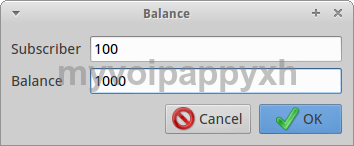
| Item | Value | Description |
|---|---|---|
|
Subscriber |
String |
Local user who is prepaid subscriber. |
|
Balance |
Integer |
Balance of the current prepaid user. |
Please click menu "Services / Prepaid / Caller prepaid" and prepare to configure how to calculate fee for prepaid subscribers.
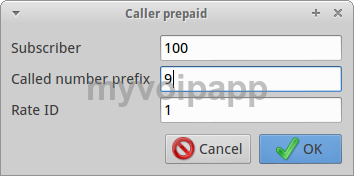
| Item | Value | Description |
|---|---|---|
|
Subscriber |
String |
Local user who is prepaid subscriber. This field can be set with "*". That means for all prepaid subscriber. |
|
Route number |
String |
The destination prefix which the call will be routed. This field can be set with "*". That means for all destinations. |
|
Prepaid rate ID |
Integer |
Prepaid rate for calculating fee. This ID is configured in previous section "2.3.1 Prepaid rate". |
For examples:
We configure following records in the "caller prepaid" table.
| Subscriber | Route number (destination) | Prepaid rate ID | Description |
|---|---|---|---|
|
* |
* |
1 |
For all prepaid subscriber and all destination, the rate "1" will be applied. |
|
* |
101 |
2 |
Any subscribers call destination with prefix "101", the rate "2" will be applied. |
|
100 |
* |
3 |
Subscriber "100" calls any destination, the rate ID "3" will be applied. |
|
100 |
1 |
4 |
Subscriber "100" calls destination whose prefix is "1", the rate ID "4" will be applied. |
Then, we can see which rate will be applied in following cases.