1. Introduction
In normal, when an incoming call is received, the called party or called user can only see the caller number. The called party cannot know who is calling unless the called user remembers these incoming calls' numbers. It is very hard.
The better way is that the SIP phone displays who is calling. For example, if the call is coming and the caller number is '101', the phone displays that 'Gilson' is the caller.
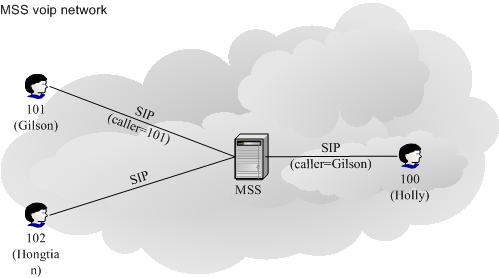
miniSIPServer provides "Caller display number" service to fit this requirement. You can configure display number for each caller number you want, miniSIPServer will send both these numbers or only display number to the called party to show who is calling.
2. Configuration
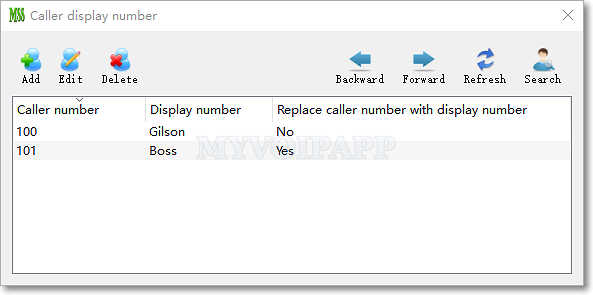
Click menu "Services / Caller display number" to show and add records.
| Item | Description |
|---|---|
| Caller number | The caller number in incoming call. In above scenario, the number could be "100", and so on. |
| Display number | Display number to be set in the outgoing calls. In above scenario, it could be "Gilson", and so on. |
| Replace caller number with display number | By default, this item is not checked that means miniSIPServer will send both caller number and display number out. SIP phone can decide which number will be showed to the user. If this item is checked, miniSIPServer will only send display number out. |